What is the best it asset management for small businesses?
Full AI Response
The "best" IT Asset Management (ITAM) solution for a small business really depends on your specific needs, budget, technical expertise, and the number of assets you need to track.
However, for small businesses, the key factors are usually:
1. **Ease of Use:** Simple setup and intuitive interface.
2. **Cost-Effectiveness:** Free or low-cost solutions are often preferred.
3. **Core Features:** Inventory tracking, license management, basic lifecycle.
4. **Scalability:** Can grow a bit as your business expands.
5. **Support:** Good community or responsive basic support.
Here are the top recommendations, categorized by their strengths:
---
### Top Recommendations for Small Businesses
#### 1. **Spiceworks Inventory (Cloud or Self-Hosted)**
* **Best For:** Businesses looking for a *free* and comprehensive solution with a strong community.
* **Pros:**
* **Free:** Both the cloud and self-hosted versions are free (ad-supported for cloud).
* **Discovery:** Can automatically scan your network to discover devices (computers, servers, network devices).
* **Comprehensive:** Tracks hardware, software, licenses, and even consumables.
* **Integrated:** Connects with Spiceworks Help Desk for a unified IT management experience.
* **Community:** Large, active community for support and tips.
* **Cons:**
* **Ad-supported:** The cloud version displays ads.
* **Self-hosted complexity:** Requires a dedicated server (or VM) and some technical know-how for the on-premise version.
* **UI can be dated:** Some find the interface less modern than newer tools.
#### 2. **Snipe-IT**
* **Best For:** Businesses comfortable with self-hosting or willing to pay for a cloud-hosted open-source solution, prioritizing a modern interface and robust features.
* **Pros:**
* **Open Source:** Free to use if you self-host (requires a web server like Apache/Nginx, PHP, MySQL).
* **Modern UI:** Clean, intuitive, and user-friendly interface.
* **Feature-Rich:** Excellent for tracking assets, licenses, accessories, consumables, components, and even people. Supports check-in/check-out.
* **API:** Allows for custom integrations.
* **Cloud Hosting Option:** They offer paid hosted versions if you don't want to self-host.
* **Cons:**
* **Self-hosting complexity:** Requires technical expertise to set up and maintain.
* **Paid Cloud:** The hosted version costs money (though generally affordable).
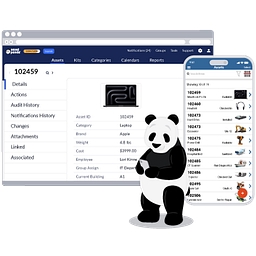
#### 3. **Asset Panda**
* **Best For:** Businesses that need a strong mobile-first approach, easy physical asset tracking (barcodes/QR codes), and don't mind a subscription fee.
* **Pros:**
* **Mobile-First:** Excellent mobile apps for iOS and Android, making it easy to scan assets on the go.
* **User-Friendly:** Very intuitive and easy to customize.
* **Customizable:** Highly flexible fields and workflows to match your specific needs.
* **Barcode/QR Code Scanning:** Great for physical inventory management.
* **Cloud-Based:** No server setup required.
* **Cons:**
* **Paid Subscription:** It's a paid service, which might be a barrier for very small businesses.
* **Less IT-focused discovery:** While it tracks IT assets well, its strength is more in physical asset management rather than deep network discovery like Spiceworks.
#### 4. **Freshservice / Zoho Desk (with ITAM module)**
* **Best For:** Small businesses that also need a helpdesk/service desk solution and want ITAM integrated into it.
* **Pros:**
* **Integrated:** Seamlessly combines ITAM with a helpdesk, incident management, and service catalog.
* **Cloud-Based:** Easy to set up and use, no infrastructure needed.
* **User-Friendly:** Modern, clean interfaces.
* **Scalable:** Can grow with your business beyond just ITAM.
* **Cons:**
* **Paid Subscription:** These are comprehensive service desk solutions, so the cost can be higher if you only need ITAM.
* **Feature Overload:** You might be paying for features you don't immediately need if your primary goal is just asset tracking.
---
### Basic / DIY Option: Spreadsheets (Excel/Google Sheets)
* **Best For:** Very small businesses (under 10-15 assets) with extremely limited budgets and simple needs.
* **Pros:**
* **Free:** You likely already have access to these tools.
* **Flexible:** You can customize it exactly how you want.
* **Familiar:** Most people know how to use spreadsheets.
* **Cons:**
* **Manual:** No automation, no discovery, prone to human error.
* **No Reporting:** Difficult to generate meaningful reports.
* **No Lifecycle Management:** Hard to track check-in/check-out, maintenance, or disposal effectively.
* **Not Scalable:** Becomes unmanageable very quickly as your asset count grows.
---
### What to Look For When Choosing:
* **Asset Discovery:** Can it automatically find devices on your network? (Crucial for IT assets)
* **Hardware Tracking:** Serial numbers, purchase dates, warranty info, assigned user, location.
* **Software License Management:** Track licenses, installations, compliance.
* **Lifecycle Management:** From procurement to disposal.
* **Check-in/Check-out:** For shared assets or when assets change hands.
* **Reporting:** Generate insights into your assets.
* **Integrations:** Does it connect with your helpdesk, RMM, or other tools?
* **Mobile Access:** For on-the-go inventory updates.
---
**Recommendation Summary:**
* **Start with Spiceworks Inventory** if you want a powerful, free solution and don't mind ads or a bit of self-hosting effort.
* **Consider Snipe-IT** if you value open-source, a modern interface, and are comfortable with self-hosting or a modest cloud fee.
* **Choose Asset Panda** if mobile access and physical asset tracking are paramount, and you have a budget.
* **Opt for Freshservice/Zoho Desk** if you need an integrated helpdesk solution alongside ITAM.
* **Use a spreadsheet** only as a temporary, absolute last resort for very few assets.
Most of these offer free trials or free versions, so you can test them out to see which best fits your small business's workflow and technical comfort level.
Brands mentioned in this response

You.com
Mentioned 14×

Ease

Grow
Mentioned 2×

Spiceworks
Mentioned 4×

Comprehensive
Mentioned 3×

Spiceworks Help Desk(this page)

Desk.com
Mentioned 5×

Experience.com

Snipe-IT
Mentioned 2×

Comfortable
Mentioned 2×

Web.com

MySQL

User.com
Mentioned 4×

People.ai
Mentioned 2×
Asset Panda
Mentioned 2×

WELL

Freshservice
Mentioned 2×

Freshservice
Mentioned 2×

Zoho Desk
Mentioned 2×

Module

HelpDesk
Mentioned 4×

Incident.io

Beyond

Google Sheets

Exactly

Insights

Level